
Spam calls and unwanted text messages are more than just annoying — they can be dangerous. From fake loan offers to phishing links and scam promotions, spam calls and messages are one of the most common ways people get tricked online.
If your phone rings constantly from unknown numbers or your inbox is filled with suspicious texts, you’re not alone. The good news is that Android gives you powerful tools to stop this.
In this guide, you’ll learn how to block spam calls and messages on Android, using built-in features and safe apps that actually work in 2026.
Why Am I Getting So Many Spam Calls?
Spam calls happen for several reasons:
- Your number was shared online
- You entered your number on untrusted websites
- Data leaks exposed your information
- You answered a spam call once
- Your number is randomly dialed by auto-callers
Unfortunately, once spammers get your number, they may keep trying. That’s why blocking and filtering is important.
How to Block Spam Calls on Android
Let’s start with stopping spam calls.
Method 1: Use Android’s Built-in Call Blocking Feature
Most Android phones (Samsung, Xiaomi, Pixel, etc.) have built-in spam protection.
Steps:
- Open the Phone app
- Tap the three dots (⋮)
- Go to Settings
- Tap Blocked numbers
- Turn on:
- Block unknown callers
- Block private numbers (if available)
You can also manually block specific numbers from your call history.
This is the easiest and safest method.
Method 2: Enable Caller ID & Spam Protection (Google Phone App)
If you’re using the Google Phone app:
Steps:
- Open Phone app
- Tap Settings
- Tap Caller ID & Spam
- Turn on:
- See caller and spam ID
- Filter spam calls
This automatically detects and blocks known spam numbers.
Method 3: Block a Specific Number Manually
If a specific number keeps calling:
Steps:
- Open Call history
- Tap the number
- Select Block / Report Spam
This prevents future calls from that number.
💬 How to Block Spam Messages on Android
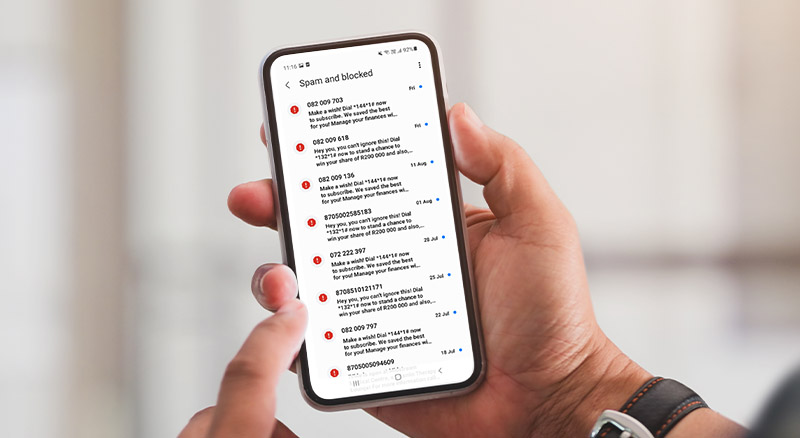
Now let’s stop spam texts.
Method 1: Block Spam in Google Messages
If you’re using the Google Messages app:
Steps:
- Open Messages
- Tap three dots
- Go to Settings
- Tap Spam protection
- Turn on Enable spam protection
Google automatically detects suspicious messages and moves them to the spam folder.
Method 2: Block a Number from Messages
Steps:
- Open the spam message
- Tap the three dots
- Select Block & Report Spam
This prevents future messages from that number.
Method 3: Use SMS Filter Apps (Optional)
If spam messages are extreme, consider trusted apps like:
- Truecaller
- Hiya
- CallApp
Only download from Play Store. Avoid unknown apps.
These apps identify spam numbers using large databases.
Stop Promotional SMS Completely (Network Option)
In some countries, you can activate Do Not Disturb (DND) with your network provider.
This blocks promotional messages legally.
Contact your mobile network and ask:
- How to activate DND service
- How to block telemarketing calls
This can significantly reduce spam.
How to Protect Your Number from Future Spam
Blocking spam is important — but prevention is even better.
Follow these habits:
- Don’t post your number publicly on social media
- Avoid entering your number on unknown websites
- Never reply to spam messages
- Don’t press numbers during spam calls
- Don’t call suspicious missed calls back
Responding confirms your number is active.
What NOT to Do
Avoid these mistakes:
- Downloading random “anti-spam” apps
- Clicking links inside spam messages
- Calling back unknown international numbers
- Sharing OTP codes with callers
Many spam calls are actually scam attempts.
When Spam Becomes Harassment
If spam becomes threatening or repeated harassment:
- Report to your network provider
- Report to local telecom authority
- Block the number immediately
Spam calls and messages are frustrating, but Android provides strong built-in tools to handle them. By enabling spam protection, blocking numbers, and using trusted apps carefully, you can significantly reduce unwanted calls and texts.
Learning how to block spam calls and messages on Android not only gives you peace of mind but also protects you from scams and identity theft.