
Realizing that your Facebook account has been hacked is a horrible feeling. You try to log in, but your password no longer works. Then you notice the email or phone number has been changed, and suddenly you’re completely locked out.
This situation is more common than you think. Hackers often take over Facebook accounts to scam friends, run ads, or steal personal data. The good news is that Facebook does have a recovery process, and many users successfully get their accounts back — even when the email has been changed.
In this guide, you’ll learn how to recover a hacked Facebook account, step by step, using Facebook’s official tools in 2026.
How Do Facebook Accounts Get Hacked?
Understanding how the hack happened helps prevent it from happening again.
The most common causes are:
- Clicking fake Facebook login links
- Phishing emails or messages
- Weak or reused passwords
- Logging in on fake websites
- Giving verification codes to scammers
- Infected phones or spyware
Most hacks happen because of trickery, not advanced hacking.
Signs Your Facebook Account Was Hacked
Your account is likely hacked if:
- Your password suddenly doesn’t work
- Email or phone number was changed
- You see posts or messages you didn’t send
- Friends report strange messages from you
- Facebook says your account was accessed from another location
If you notice these signs, act immediately.
Step 1: Go to Facebook’s Hacked Account Page (Most Important)
This is the official starting point for recovery.
Visit:
https://www.facebook.com/hacked
What to do:
- Click My Account Is Compromised
- Enter your email, phone number, or username
- Follow the instructions carefully
This tool is specifically designed for hacked accounts.
Step 2: Secure Your Account (If You Can Still Log In)
If you still have limited access:
- Change your password immediately
- Log out of all devices
- Remove unknown email addresses or phone numbers
Even partial access is enough to regain control if you act fast.
READ: Hacks often start from infected phones. See Signs Your Phone Has Spyware and How to Remove It.
Step 3: Recover Facebook Account If Email Was Changed
If the hacker changed your email, Facebook usually sends a security email.
Check your inbox for:
- “Your email was changed”
- “Did you change your email?”
If you find it:
- Open the email
- Click Secure Your Account
- Follow the steps
This option works only for a limited time after the change, so check fast.
Step 4: Verify Your Identity with Facebook
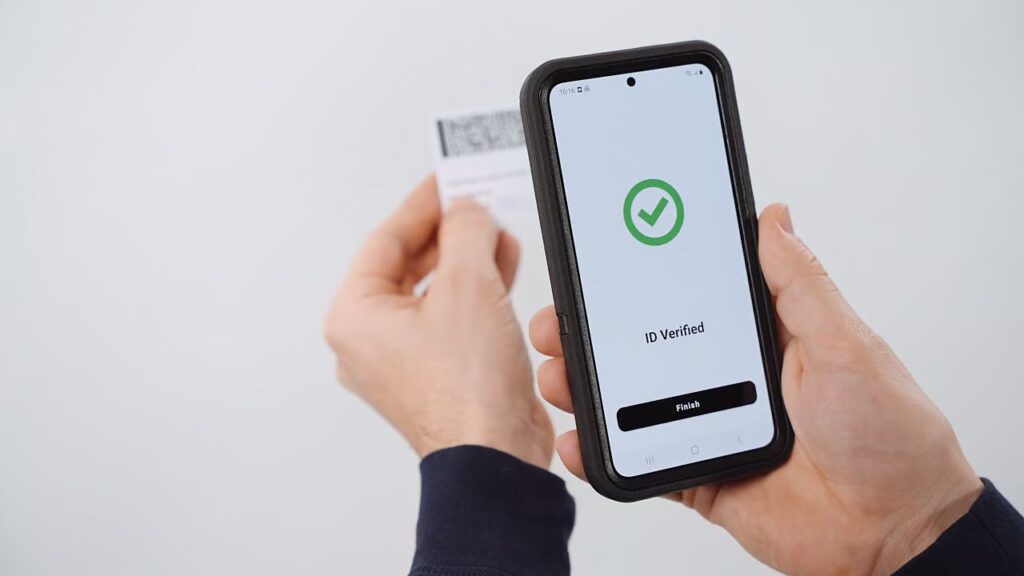
If you’re fully locked out, Facebook will ask you to confirm your identity.
You may be asked to:
- Receive a code on a trusted email
- Answer security questions
- Upload a government-issued ID
Tips for ID upload:
- Use a clear photo
- Ensure your name matches your profile
- Avoid editing or cropping the image
Facebook uses this only to confirm ownership.
Step 5: Wait for Facebook Review (Be Patient)
After submitting your recovery request:
- Facebook reviews your information
- This can take 24–72 hours
- Sometimes longer for complex cases
You’ll usually receive an email with next steps or confirmation.
Avoid submitting multiple requests — it can delay the process.
What to Do If You Don’t Hear Back from Facebook
If you don’t get a response:
- Wait at least 48–72 hours
- Check spam and promotions folders
- Try the recovery form again after a few days
Sadly, Facebook has no direct live support, so patience is required.
What Will NOT Help You Recover a Hacked Facebook Account
Avoid these common mistakes:
- Paying “Facebook recovery experts”
- Clicking unlock links from messages
- Creating a new account immediately
- Using fake Facebook support pages
Anyone promising instant recovery is almost always a scam.
ALSO. READ: Many recovery offers are scams. Read Shocking Online Scams in 2026 You Must Avoid.
How to Secure Your Facebook After Recovery
Once you regain access, secure your account immediately.
Do this right away:
- Change your password
- Enable two-factor authentication
- Review login devices
- Remove suspicious apps
- Secure your email account
Your email security is just as important as Facebook security.
How to Prevent Your Facebook from Being Hacked Again
Follow these habits:
- Never share login codes
- Don’t click suspicious links
- Use strong, unique passwords
- Avoid third-party automation apps
- Keep your phone malware-free
Most repeat hacks happen because security isn’t improved after recovery.
When Facebook Account Cannot Be Recovered
Unfortunately, recovery may fail if:
- The account violated serious policies
- Fake identity information was used
- The hacker fully secured the account long ago
- Facebook cannot confirm ownership
In these cases, Facebook may permanently disable the account.
A hacked Facebook account is stressful, but recovery is possible, even if your email was changed. The key is using Facebook’s official tools, acting quickly, and being patient during the review process.
Once you recover your account, securing it properly is critical. Most people who get hacked a second time didn’t change their security habits.
For more account recovery guides, social media security tips, and phone safety tutorials, keep visiting TechFixera.